Posts

Showing posts with the label tutorial

Tutorial : how to install PAPAGO! M9 for Android built-in GPS phone

Image
Map untuk Papago X5 tidak ada update sejak Ogos 2011. Oleh itu, saya telah beralih ke Papago M9 untuk android phone saya sejak pertengahan tahun 2012. Kat sini saya nak share cara-cara nak install Papago M9 ( Powered by NaviTotal ) serta map nya sekali. (lambat buat tutorial sebab banyak kerja lain yang perlu didahulukan) System Requirement Supported Operating System: *Android OS 4.2 or below Handset Requirement: CPU 500MHz or above  Flash 5MB above  Free Memory Space 4GB or above  Supported Screen Resolution: 240 x 320 , 240 x 400 , 320 x 240 , 320 x 240 , 320 x 480 , 320 x 480 , 400 x 240 , 480 x 320 , 480 x 800 , 480 x 854 , 540 x 960 , 600 x 1024 , 800 x 480 , 800 x 1232 , 800 x 1280 , 854 x 480 , 960 x 540 , 1024 x 600 , 1280 x 752 , 1280 x 800, 1280 x 720   download files   (from your computer)   as per following links. PAPAGO! M9 for Android (Powered by NaviTotal)   288 MB Malaysia, Singapore & Brunei's Map (update 06/11...
Tutorial : how to create map files from MFM map for Papago

Image
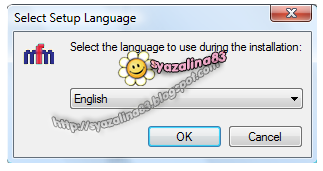
Tutorial : how to install PAPAGO! M9 for Android built-in GPS phone Friday, 30 November 2012 © 2012 -  ~syazalina83~ update:  All PaPago X5 users are advised to upgrade to PAPAGO M9 since the last map update for X5 was in August 2011 Install >> Papago X5 << before proceed with this tutorial. Screenshots are based on  MFM-PPG-110301C (version 1/3/2011).    The process of map installation is still the same for any MFM Papago X5  map. Please follow the same steps for updating your outdated map. Double click MFM-PPG-110823C.exe ( Download from here )  Select setup language , click OK . Click Next . Accept the agreement and click Next . Recommended to use the default folder for MFM map. Click Next . Select the Papago version that you are using. Ready To Install MFM Map. Click Install . Installation in progress. Click Finish. From your pc, locate the following folder.  C:/Navi/Maps/MFM-PPG-110823C . ...

Tutorial : how to install PaPaGo X5 SG&MY for Android built-in GPS phone

Image
Tutorial : how to install PAPAGO! M9 for Android built-in GPS phone Friday, 30 November 2012 © 2012 -  ~syazalina83~ updates:  All PaPago X5 users are advised to upgrade to PAPAGO M9 since the last map update for X5 was in August 2011 December 2011 - installed n working fine on my Samsung Galaxy S2 I9100G October 2011 - installed n working fine on my bro's Samsung Galaxy S2 I9100 Problem " can not load map data from external storage " ? because u pasted the Navisea folder into the wrong path. it must be pasted directly onto the phone's drive (eg. F:\, G:\, H:\), not within any folder. the correct path is F :\Navisea\ for newest android phones, if u have 2 drives when ur phone connected to the pc, u have to paste the Navisea folder on internal mass storage (not on micro sd card)  ============================================================== saya guna Papago kat htc desire saya sejak akhir thn 2010 (install sendiri je).. kat sini saya nak ...

Video2mp3 Converter

Image
Nak tukar video kepada mp3 dari mana-mana laman web seperti Youtube, DailyMotion, dan sebagainya? Atau nak download lagu / bunyi sahaja dari video yang ditonton? Caranya mudah je.. Jom singgah  http://www.video2mp3.net Masukkan url video dari laman web yang berkenaan. Pilih kualiti mp3 dan klik convert . Ada iklan tu, just click kat Continue to your download . Conversion completed. Boleh download dan save audio file tu.

Tak Dapat Download Dari scribd.com

Image
Pernah tak korang hadapi masalah untuk download files dari scribd.com? Dia keluar mesej : All download limits exceeded from your IP Selalunya masalah ni berlaku pd user yg guna broadband internet mobile, contohnya celcom broadband. Sebab dia share IP... Ok, berikut cara2 utk atasi masalah ni. Buka  http://scribd.com/mobile Taipkan nama file yang ingin dicari / didownload dan klik Search . Kemudian klik Download Now  pd file yg ingin didownload. Default file name yang akan keluar ialah download  dgn extension .pdf  . Klik OK dan  Save. Rename file tersebut kepada nama yang sesuai.

List of compatible devices for garmin mobile xt version 5.00.50

Image
The garmin mobile xt version 5.00.50 is compatible with symbian built-in gps phone , running S60 3rd Edition, Feature Pack 1  S60 3rd Edition, Feature Pack 2  S60 5th Edition (Corresponds to Symbian^1)  Symbian^2  Symbian^3  More info :  http://en.wikipedia.org/wiki/S60_(software_platform) S60 3rd Edition, Feature Pack 1 Devices (OS 9.2) :  LG KS10 - no gps  LG KT610  Nokia 5700 XpressMusic - no gps  Nokia 6110 Navigator  Nokia 6120 Classic - no gps  Nokia 6121 Classic - no gps  Nokia 6124 classic - no gps  Nokia 6290 - no gps  Nokia E51 - no gps  Nokia E63 - no gps  Nokia E66  Nokia E71  Nokia E90 Communicator  Nokia N76 - no gps  Nokia N81 - no gps  Nokia N81 8GB - no gps  Nokia N82  Nokia N95  Nokia N95 8GB  Samsung SGH-G810  Samsung SGH-i400 - no gps  Samsung SGH-i450 - no gps  Samsung...

Tutorial : how to create gmapsupp.img from MFM map for Garmin Mobile XT

Image
Double click MFM-Garmin-(YYMMDD).exe [Year-Month-Day]. ( Download from malfreemaps ) Select setup language , click OK . Click Next . Accept the agreement and click Next . Recommended to use the default folder for MFM map. Click Next . Choose Custom Polygons & POIs and click Next . Ready To Install MFM Map. Click Install . Installation in progress Choose Yes to complete the map creation. Select Map Options & Display Customization. Exclude Colored Polygons (Less laggy) Good for Garmin Mobile XT Include Miscellanous Business POI (Like Insurance campanys, and Others Company Name POIs) Include Road POI (you can search road name under Points of Interest. This option may slow down your Mobile XT) Include Chinese POI (POIs in Chinese Simplify 简体) Enable custom icon for Nuvi 765, 1460, etc (for Garmin 765 and Garmin 1xxx series) Map display customization Full [Full Custom (the road display a bit different) + Custom Icon & Polygon (Hou...